EXPLORE LIANA
However you grow,
Liana keeps up.
Sowing seed, rooting cuttings, splitting pots, quarantining a new arrival. Here’s how Liana keeps up with each.
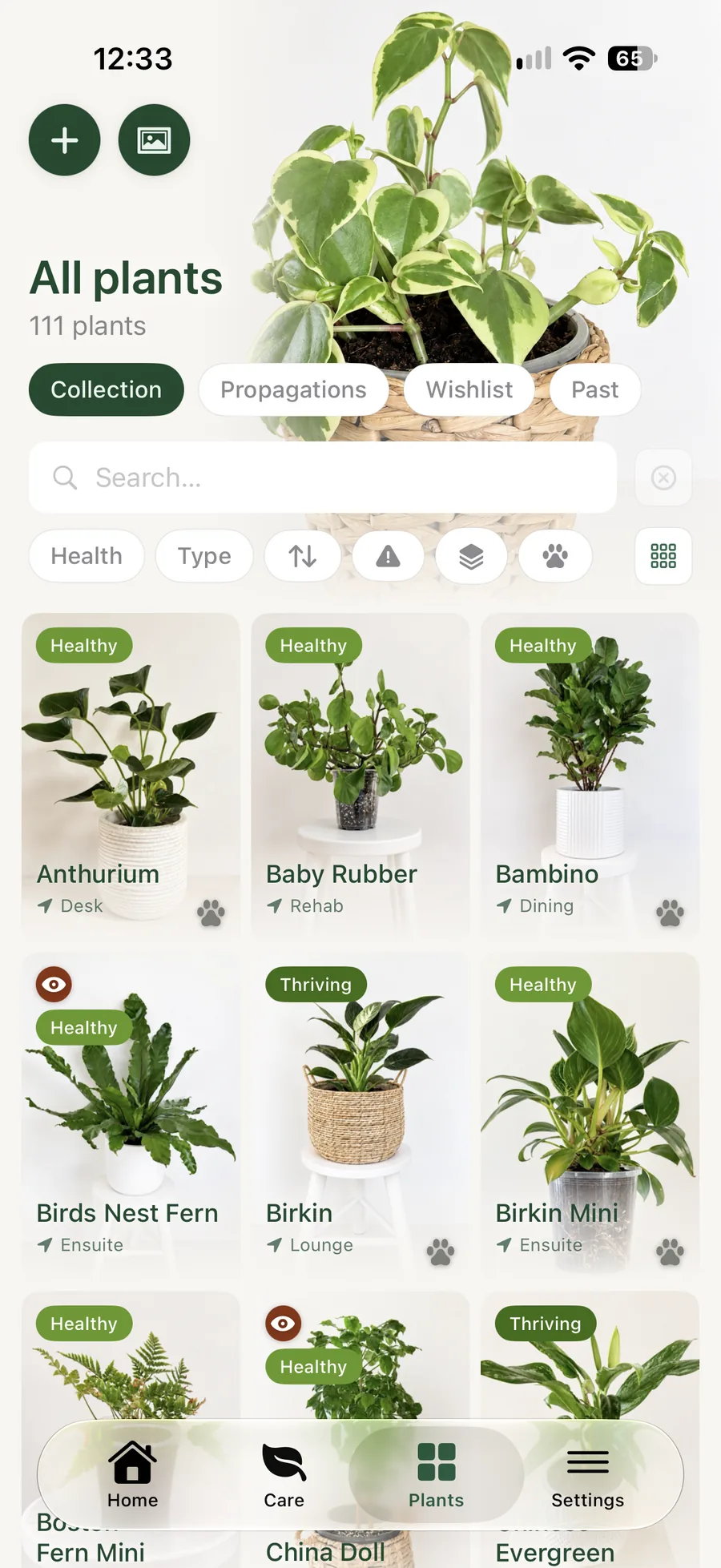
Your plants
You build the setup.
Liana keeps it as you built it.
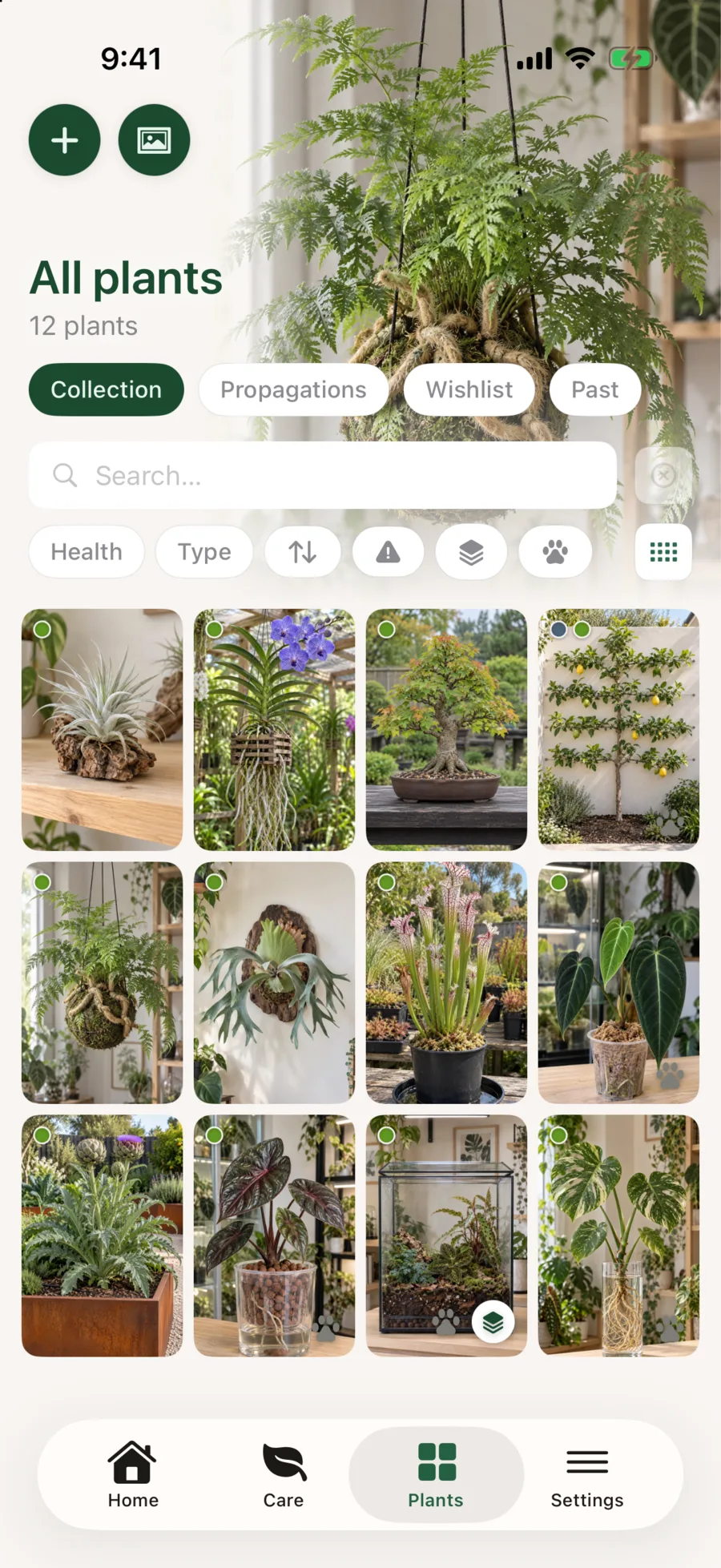
Shared pots, terrariums, mounted ferns, a pup back in with its mother. However a plant is grown, it keeps its own name, history and health.
Shared pots
Many plants in one pot, each with its own story.
A terrarium, a planted bowl, a shared pot. Liana keeps the vessel together while each plant in it keeps its own identity, history, photos and health record.
- The pot keeps: the care and watering log, moisture readings, schedules, lighting, location and setup (vessel, mix, drainage).
- Each plant keeps: its own photos, activity, observations and watch items, plus its lineage and provenance.
- Moving one out: repot it into its own pot and its photos, activity, observations and watch items go with it. The pot’s shared photos and care stay put.
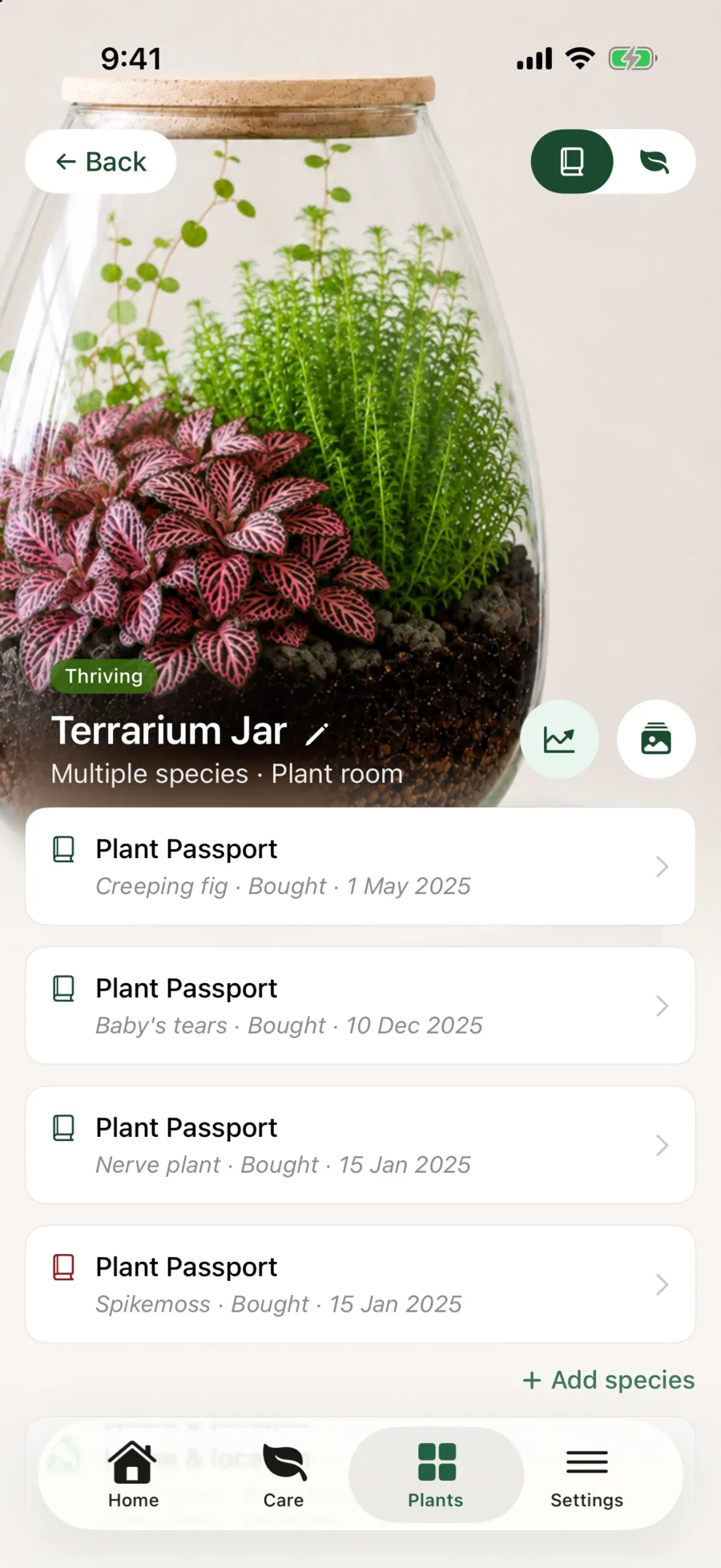
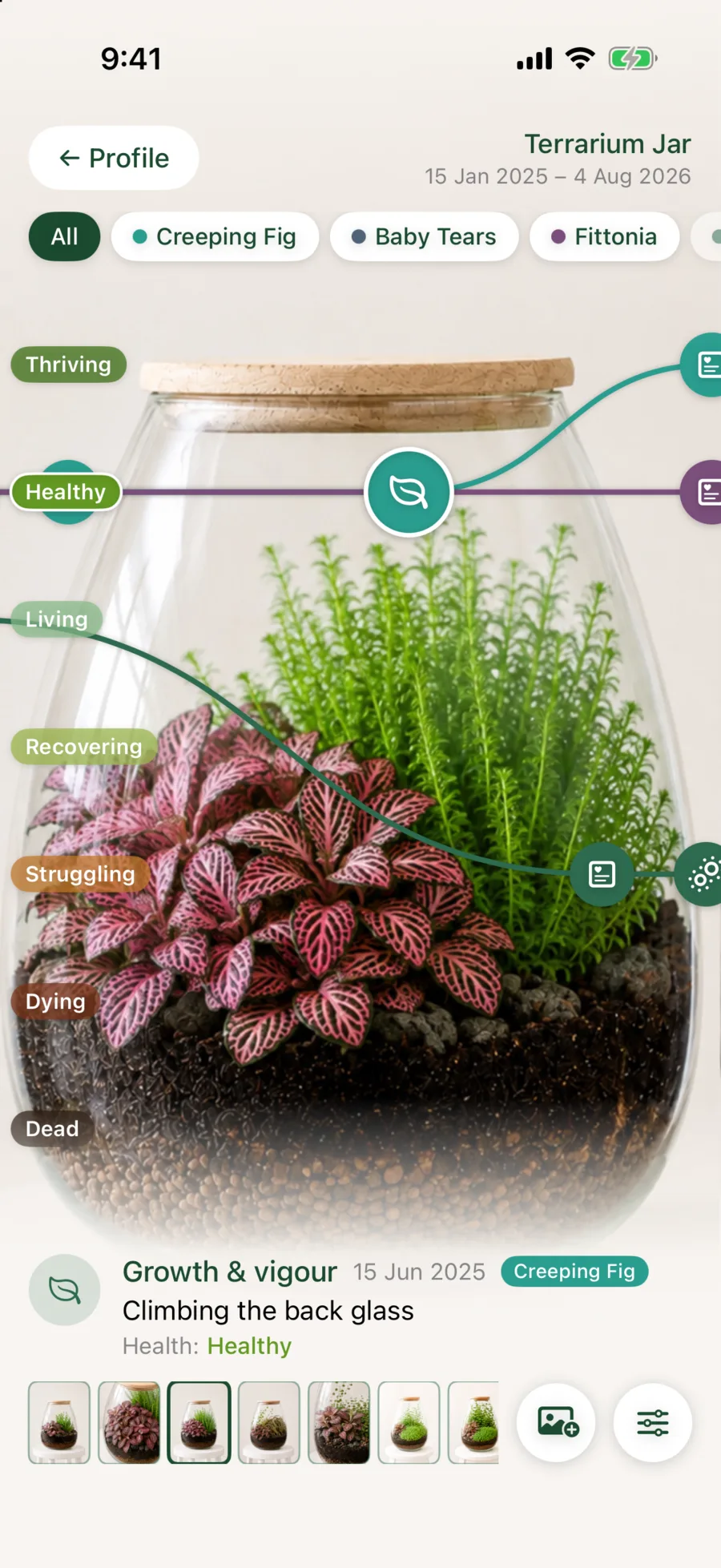
Swipe to compare
Growing setups
Every setup, recorded as it really is.
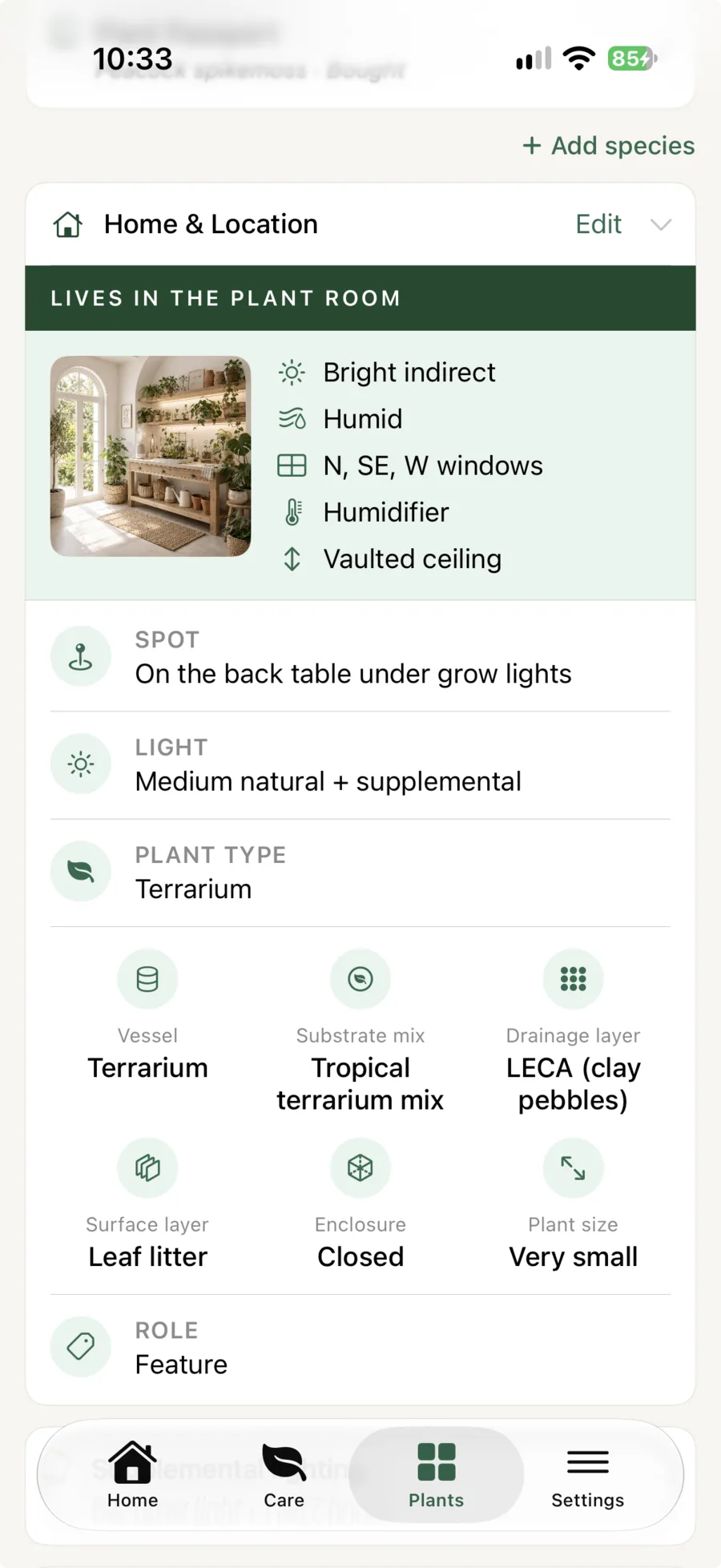
Terrariums, kokedama, mounted plants, orchids and hydro setups each work differently. Liana keeps the vessel, the layers and the mix with the plant.
- Thirteen plant types, from mounted to semi-hydro
- Individual records within complex plantings
- Care context that stays with the setup
Grow lights
Under grow lights, recorded down to the hour.
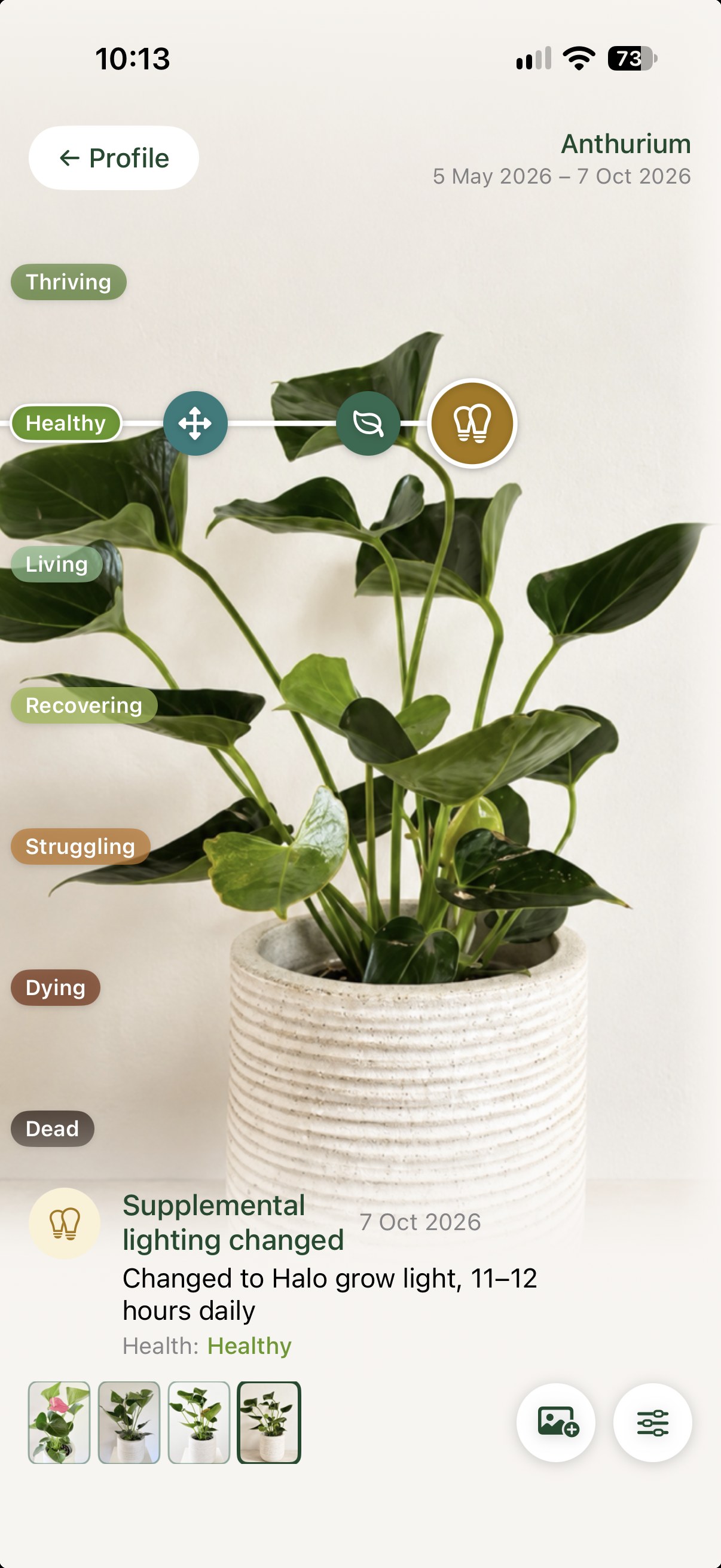
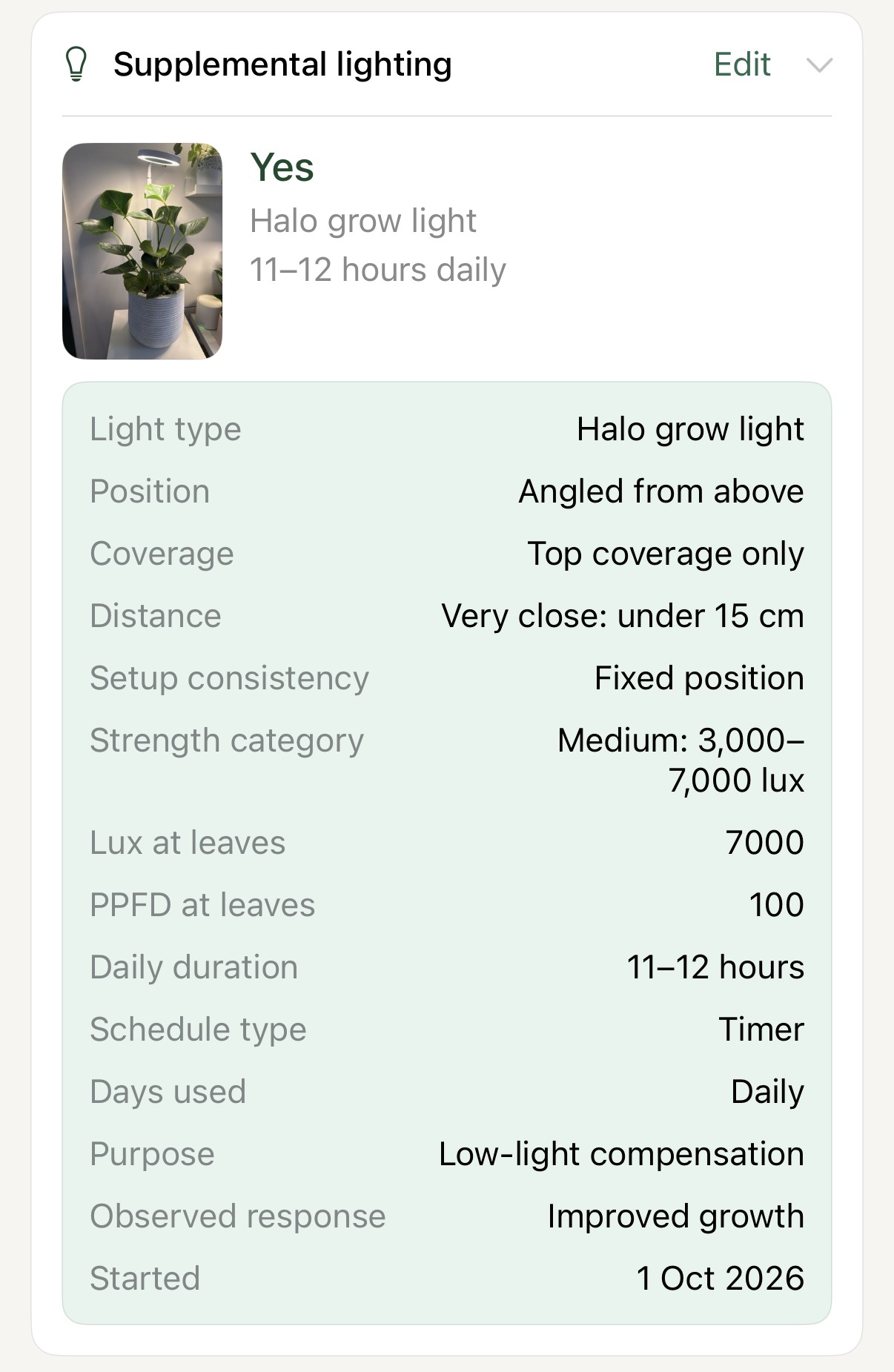
Keep it simple and just note that a plant has a grow light, or record the whole setup: where it sits, how close, for how long, even lux and PPFD. When you add or change a light, it lands on the plant’s Journey, so you can see what the light actually did.
- Light type, position, distance and coverage
- Daily hours, timer and strength, with lux and PPFD if you measure
- Light levels that allow for the lamp, from grow light only to direct sun plus a light
- A setup photo, and how the plant responded
- Every change plotted on the plant’s Journey
Split & merge
Split it, merge it, or pot a pup back home.
Split a crowded pot into new plants, move one plant out of a shared pot, or bring plants together into one. Pot a pup back in with its mother, and its story comes with it.
- Split one plant into new plants, the original kept as the mother
- Move a plant out of a shared pot into its own
- Merge plants into one pot, every history kept
Spaces & sharing
Every room, every garden, every home.
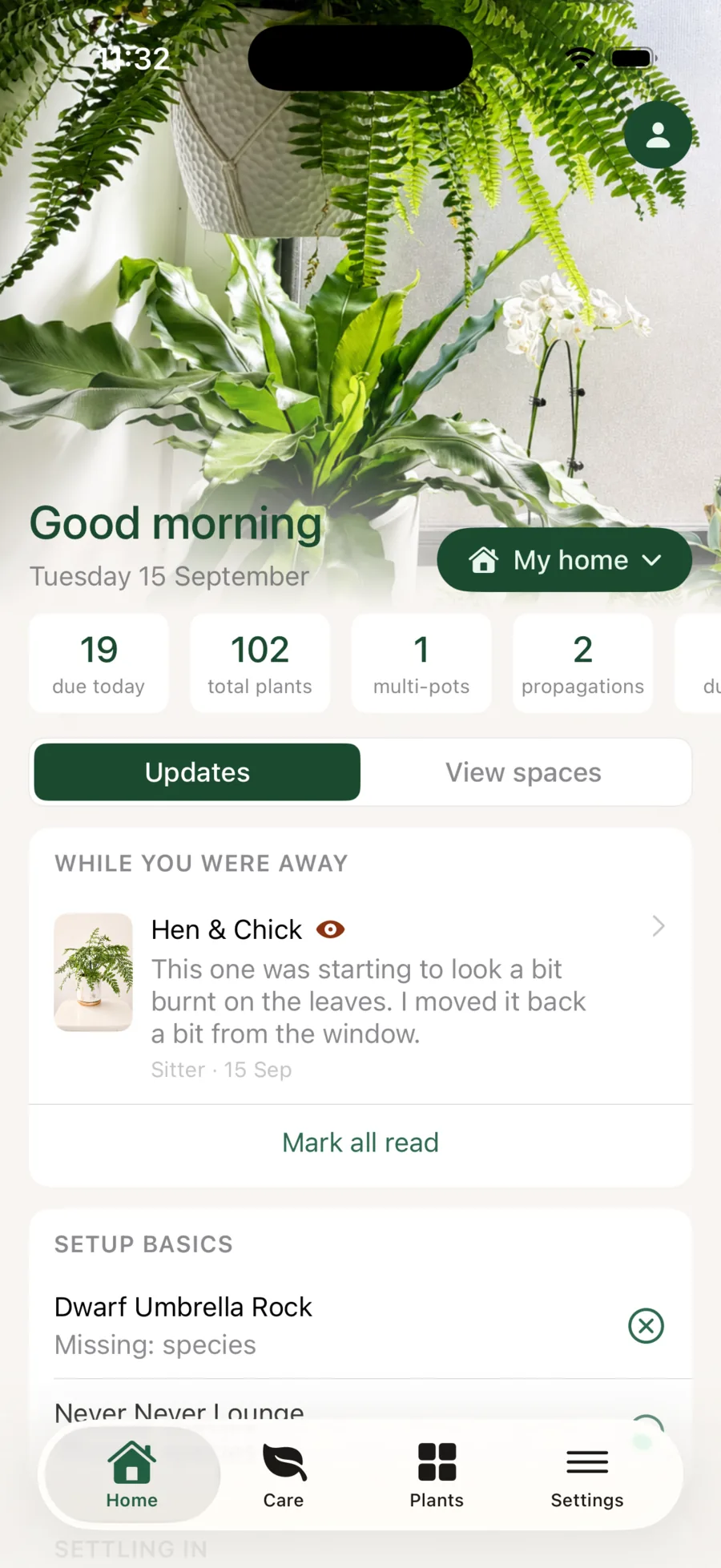
Indoor, outdoor and covered spaces each keep their own conditions. Look after more than one home, and share one with a partner for full access or a plant sitter for care only. Their notes wait on your home screen when you get back. More than one home and sharing come with Pro+, and the people you invite are always free.
Propagation & family
You take the cutting.
Liana keeps the family.
From a cutting on the windowsill or a tray of seed to the plants you give away, every plant knows where it came from and where its children went.
Propagation
From cutting to collection, story intact.
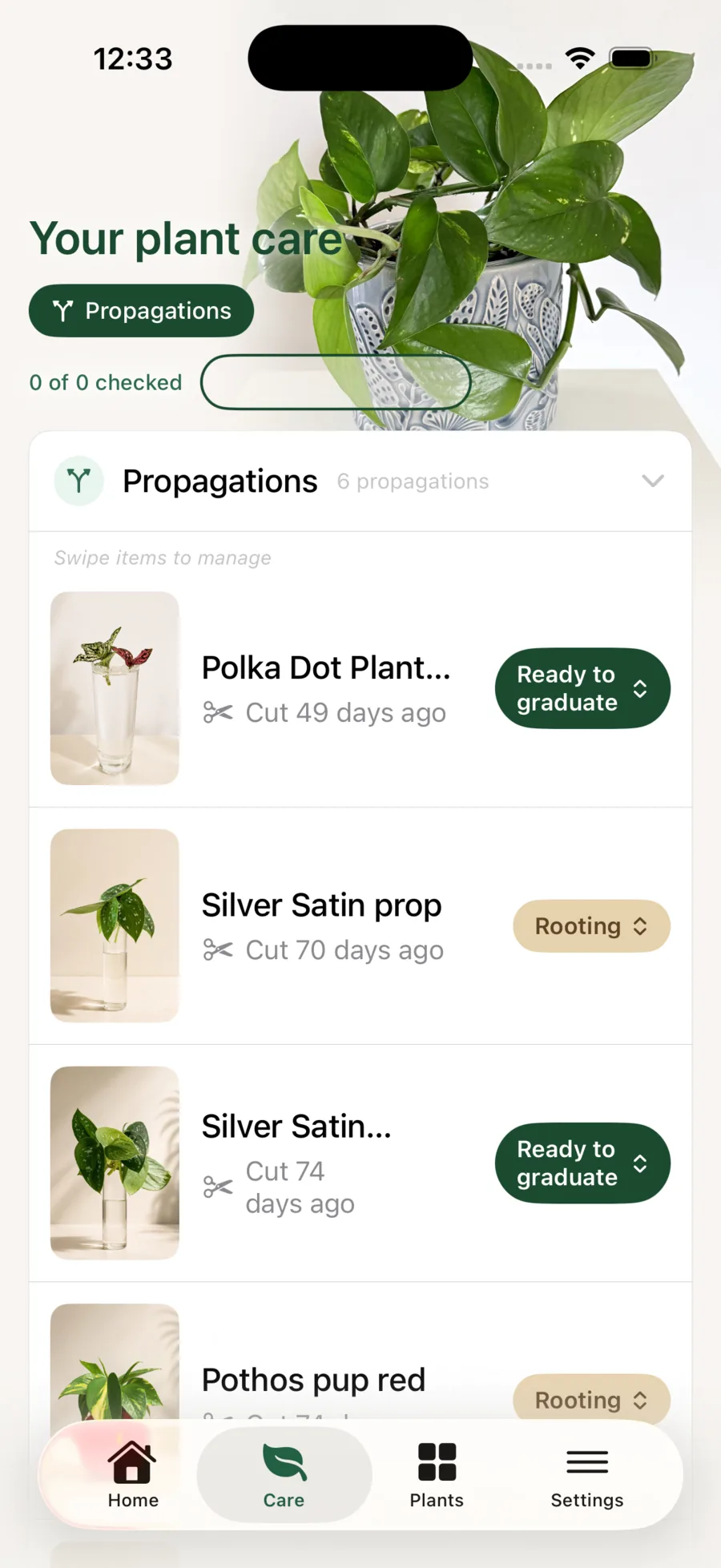
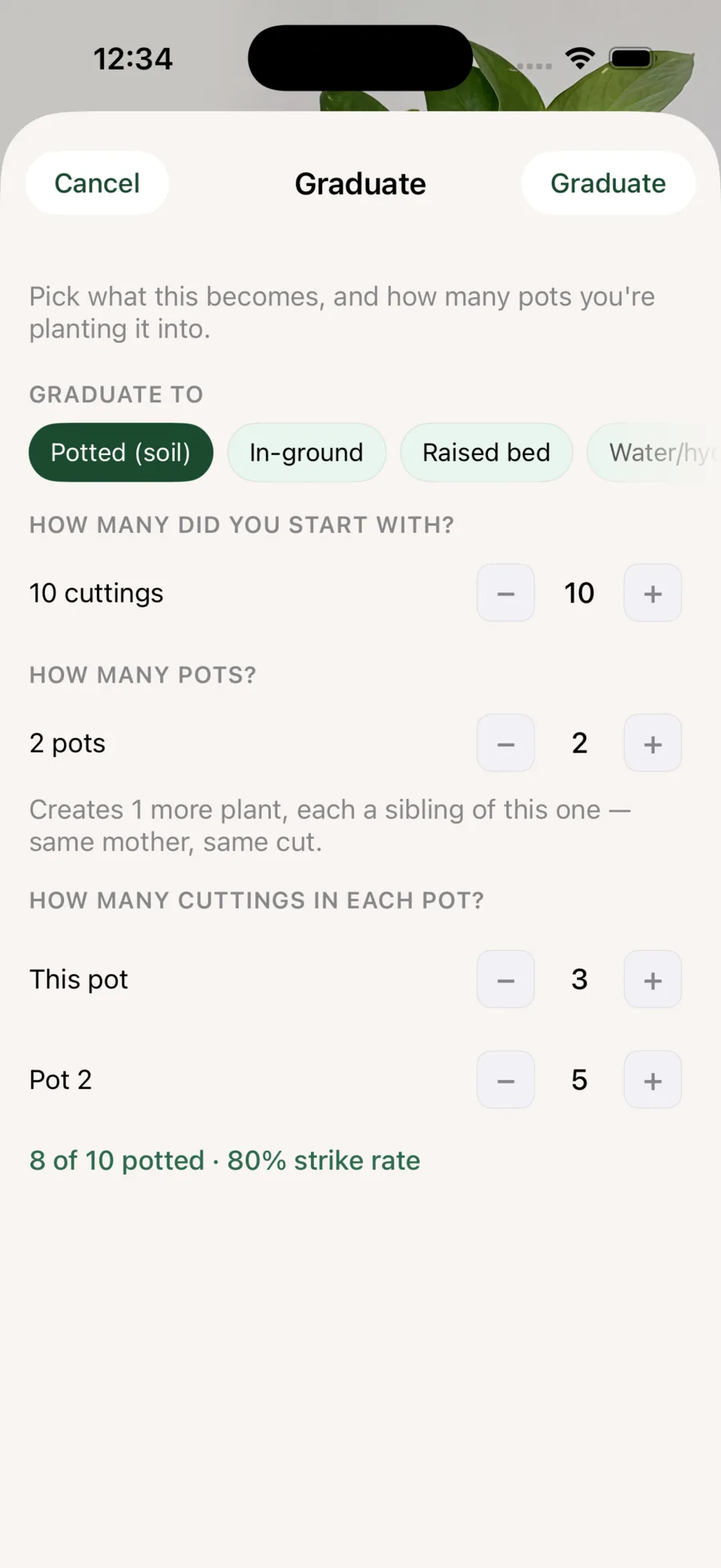
Batch, stage, method and progress, from the day you take the cutting. When it is ready, you choose how it will be planted, and it joins the collection with its story intact.
- Rooting, ready-to-graduate and established stages
- Graduate cuttings into pots, in-ground plantings or other setups
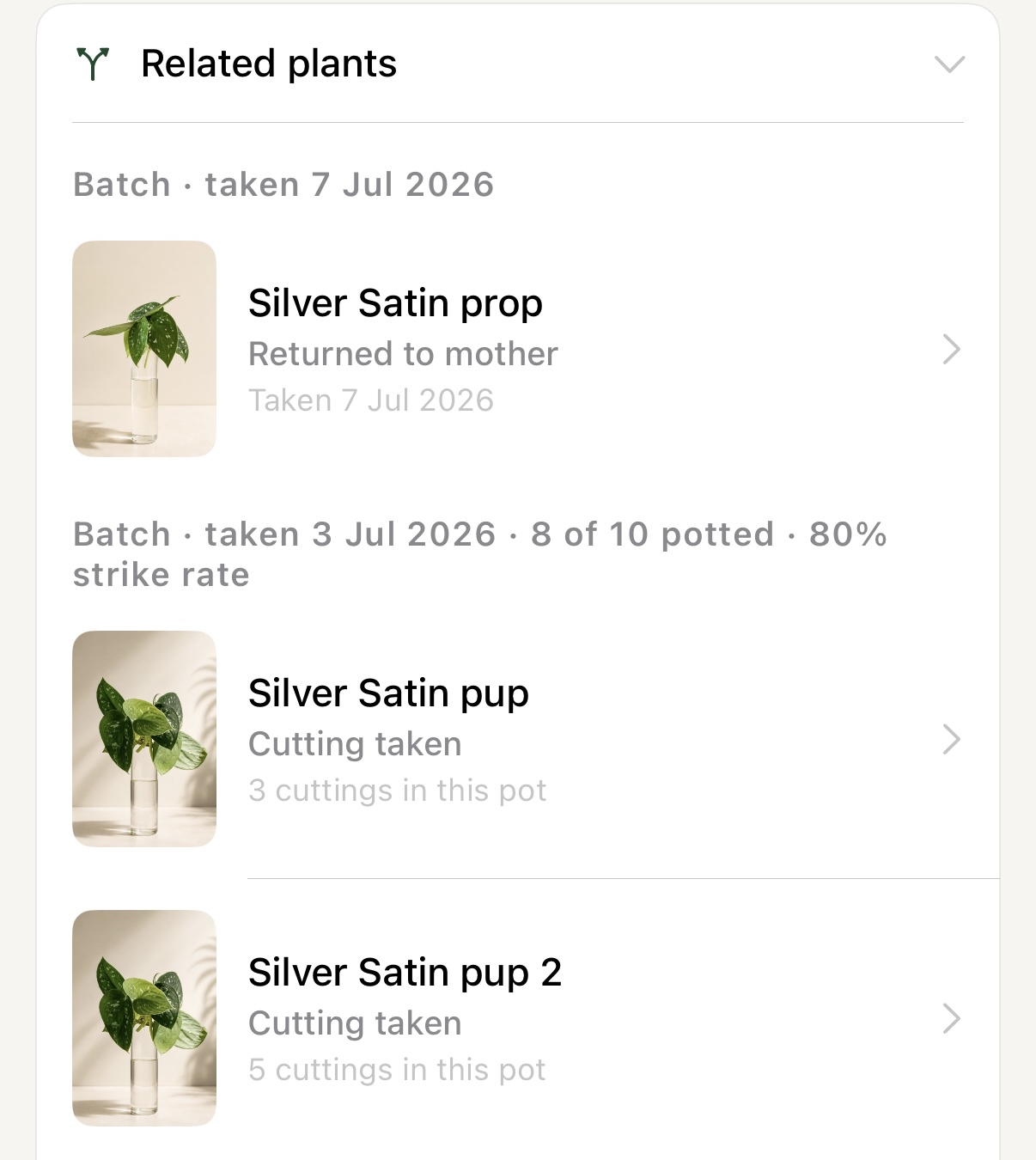
- Batches, strike rates and every related plant
- Casual sales tracking for the plants you sell, gift or swap
Sow seeds
Sown in a tray, followed to every pot.
A sowing is a plant record from the day the seed goes in. You note the source, a packet or one of your own plants, the mix and roughly how many seeds. Liana follows each stage, from sown to ready to graduate.
- Seed stages from pre-treating to ready to graduate, and a set for spores
- Pot up a tray all at once or in parts, each pot carrying its batch
- Seedlings join the collection as Grown from seed
- Optional sowing checks, every seven days by default
Lineage
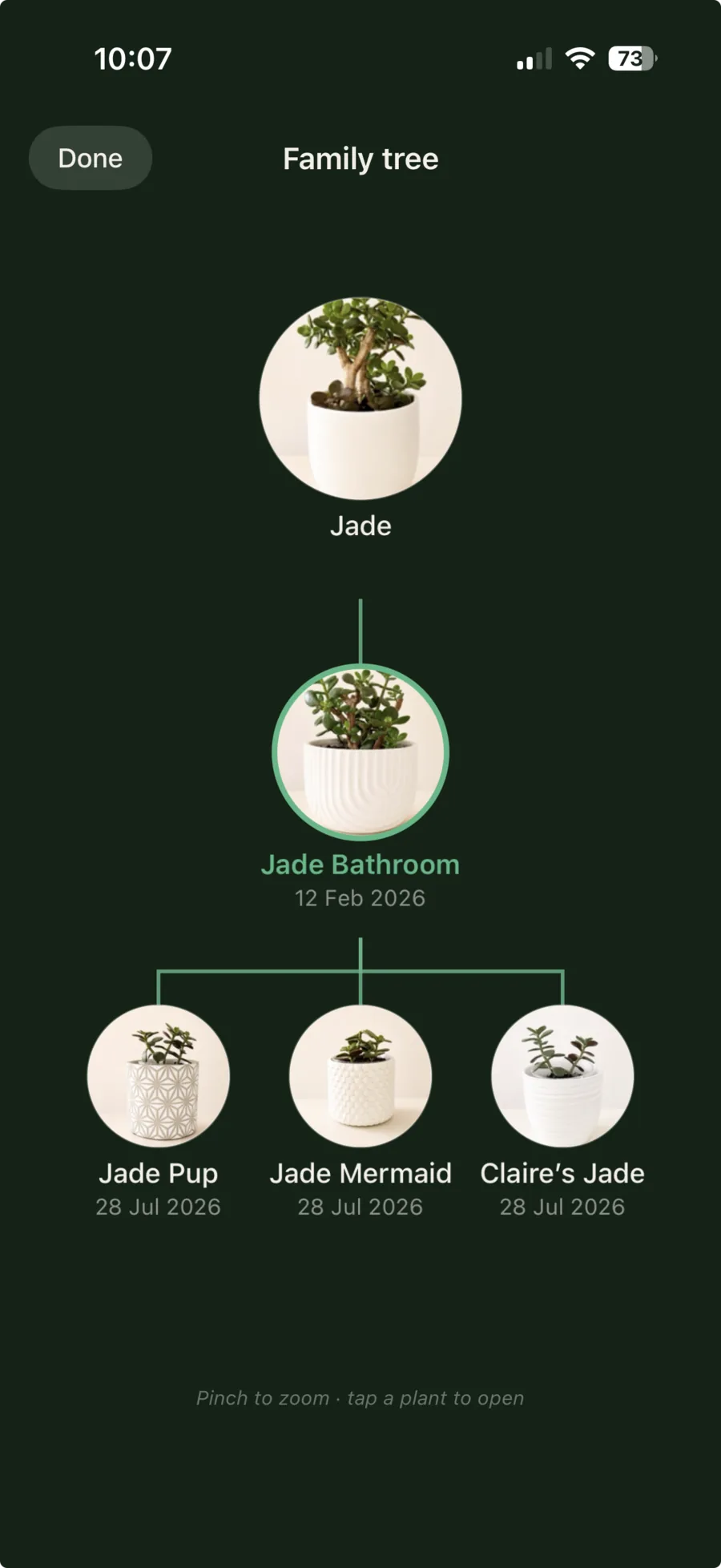
A family tree for every cutting you share.
Follow a plant to every cutting, pup and seedling it gives, and to theirs after that. Liana keeps those connections through generations, even when plants change hands.
- Family trees across cuttings, pups and generations
- Nine origins, from Bought and Gift to Propagated and Grown from seed
- Gifted and sold plants stay in the story
Custom care
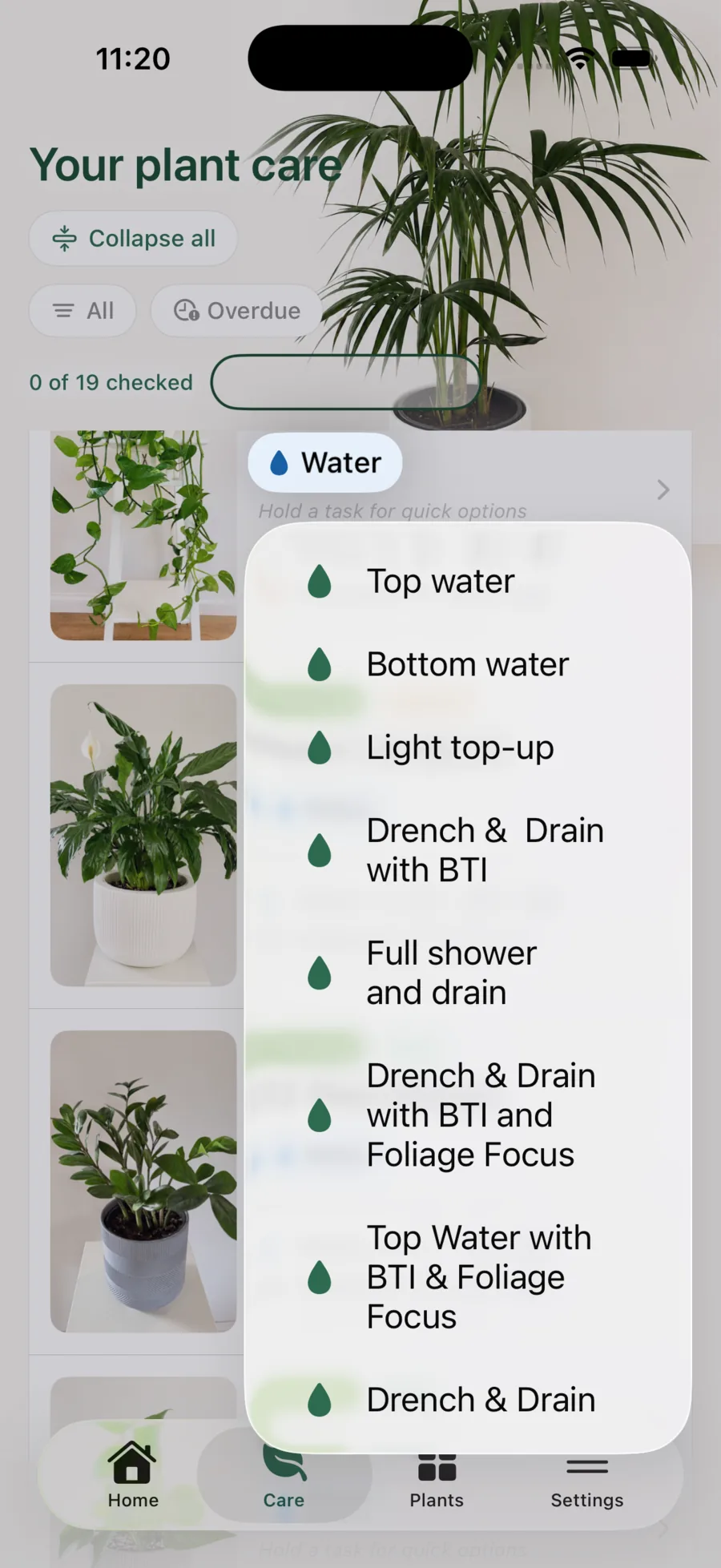
Your products, logged by name.
Add your fertilisers, additives and watering styles once, with your usual dose. A long-press on the care walk then logs exactly what you used. Schedules can follow the growing season and the off-season.
Care
You make the rounds.
Liana keeps them calm.
What’s due today, space by space. The groups you tend when you decide. Moisture checked the way you already check it.
Care walk
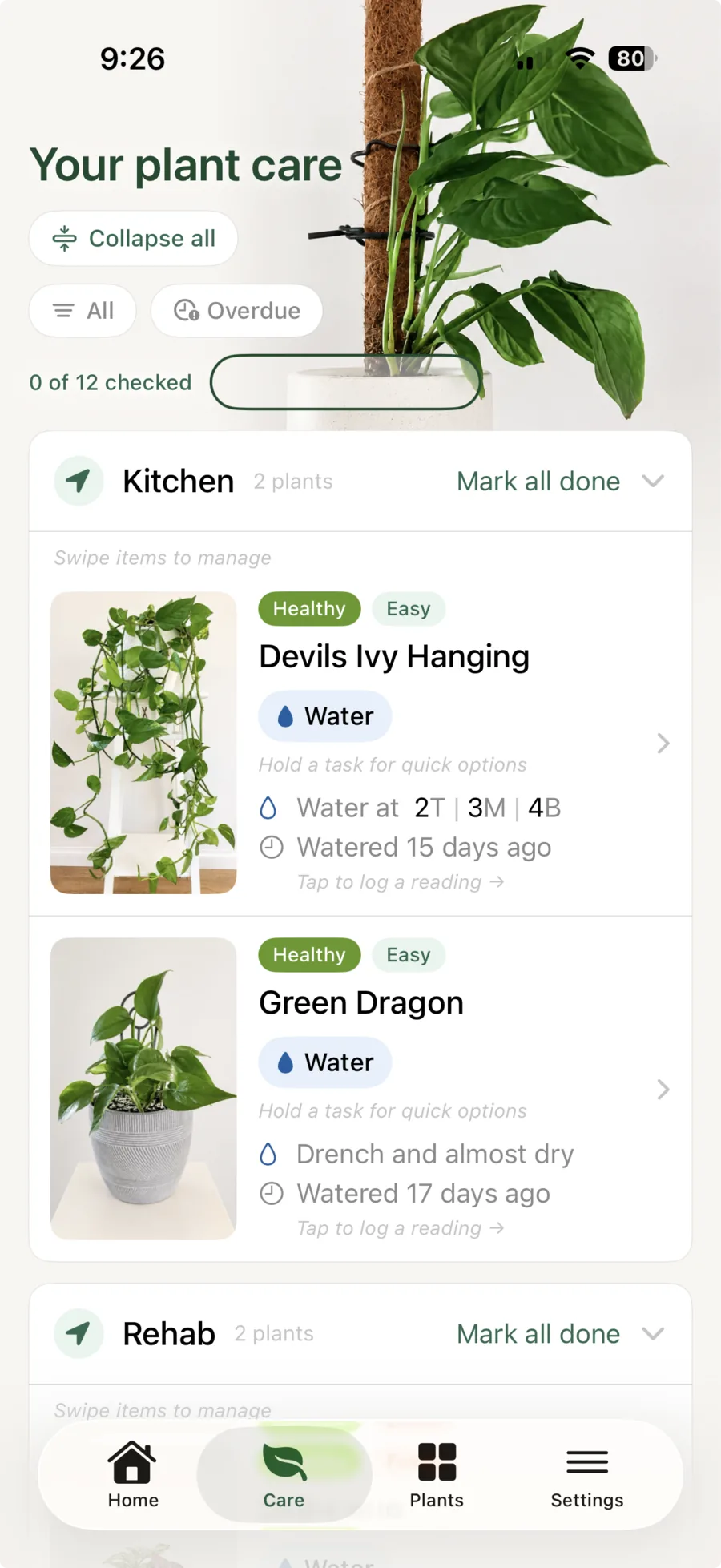
A calm walk through what’s due today.
Your care walk gathers what is due today, space by space in the order you walk them. You tick, reschedule or log as you go, add a reading, note or photo in a quick sheet without leaving the walk, and save when you’re done.
- Grouped by area and space, in your own walk order
- Filter by difficulty, overdue care or propagations
- Readings, observations and photos in a quick sheet over the walk
Lists
Your groups, tended when you decide.
Your care walk is what is due today. A list is the group you choose, for when you decide, like twenty big-leaved plants on a Sunday leaf-clean. You tick them one by one or all at once, and the care lands in each plant’s activity.
- Lists that log a care action, plant by plant or all at once
- Lists that switch a watering method, like a holiday tray
- Plain lists for any group you want to keep together
- A plant can sit on as many lists as you like
Moisture
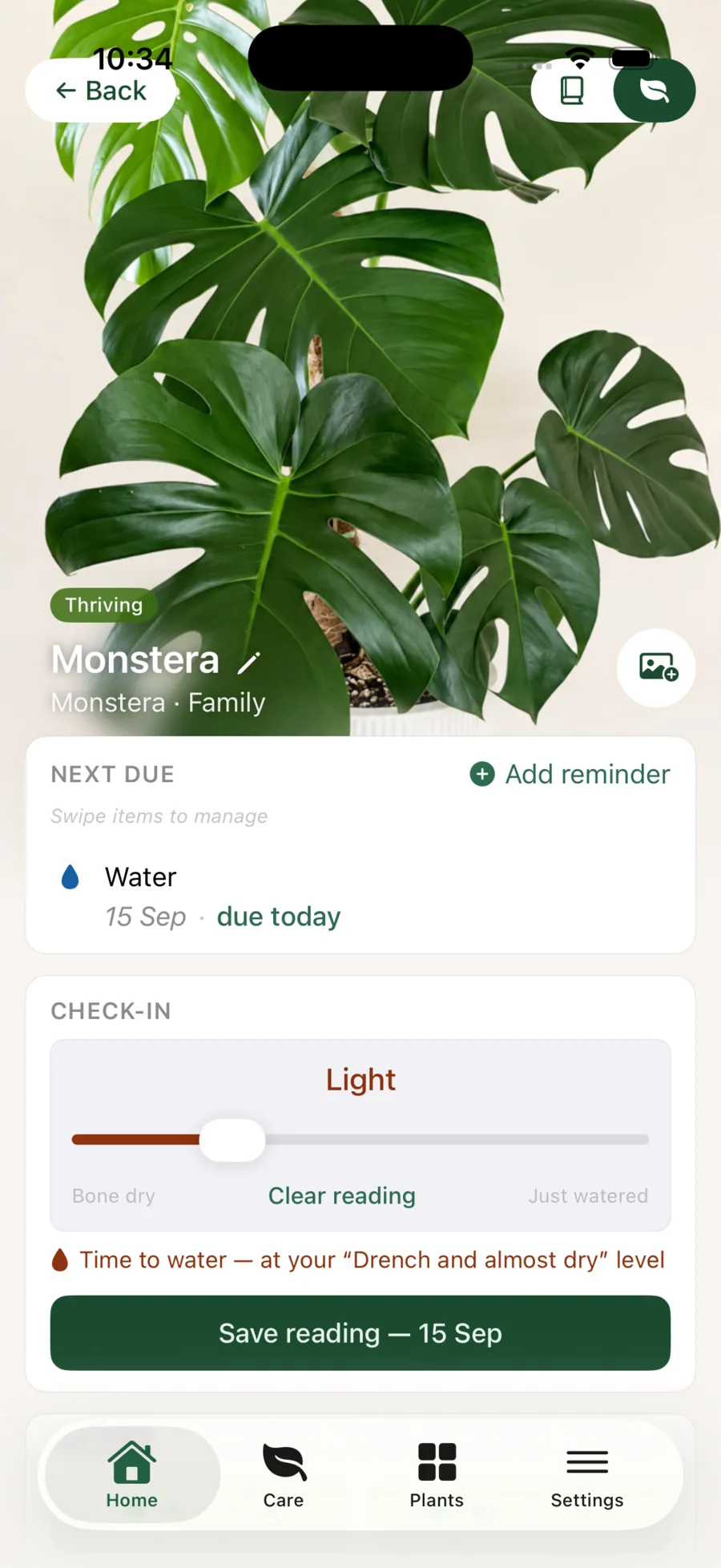
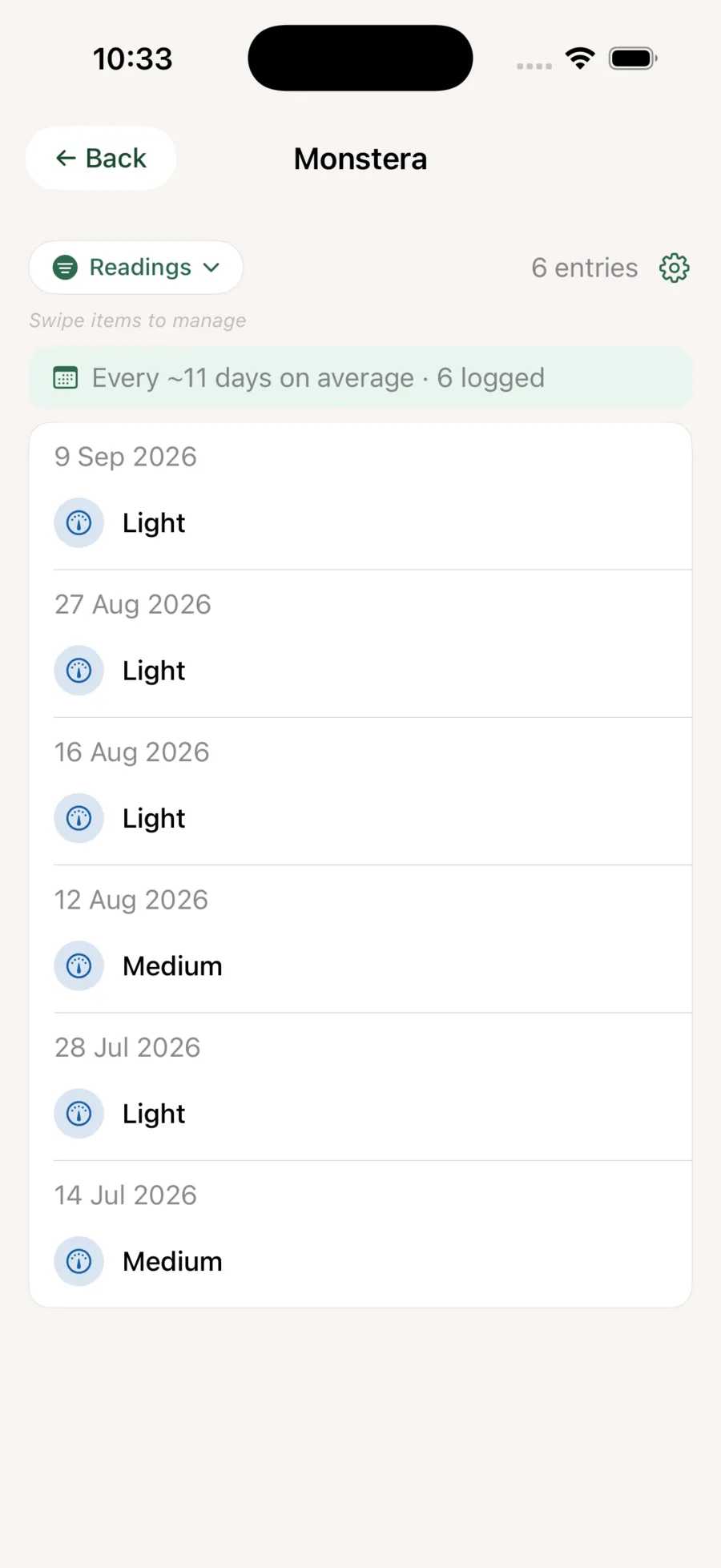
Checked by feel, or by meter.
You lift the pot and judge its weight, or use a finger or skewer. Liana records the reading the way you check it, keeps each one beside the care that followed, and suggests a watering rhythm from your history.
- Five levels by weight and feel, from bone dry to just watered
- A guide per plant: drench and dry, keep moist or keep wet
- A suggested watering rhythm, built from your own readings
Irrigation seasons
Irrigation on in the dry, off in the wet.
Set each space’s irrigation months. When the season turns, a nudge on Home opens your seasonal irrigation list, and a few ticks move the whole bed across, and back again when the rains come.
Liana remembers
You notice what changes.
Liana remembers it all.
Every photo, treatment and turning point, in order. Which plants sat beside the one with mealybug. And a full brief, ready when you want a second opinion.
Watch & quarantine
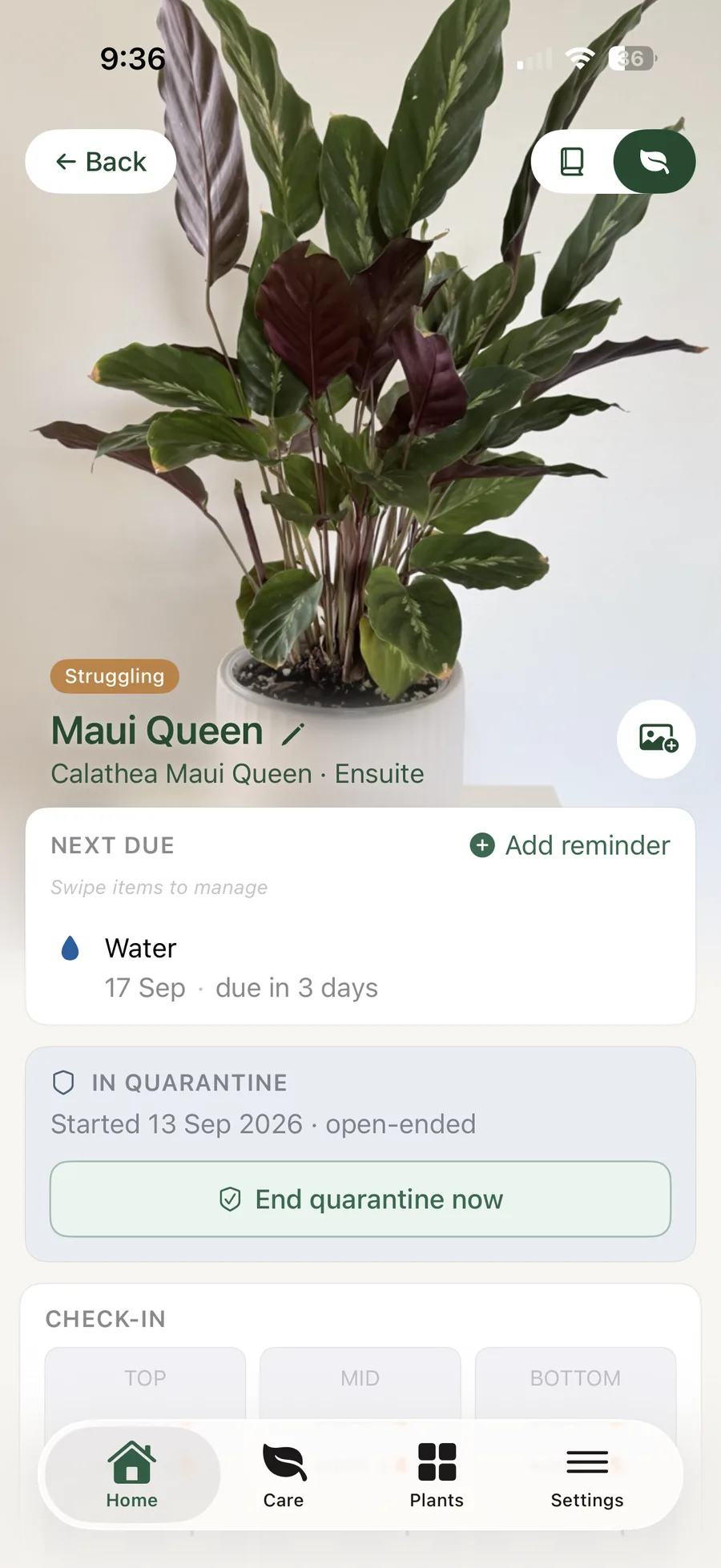
A new arrival, and who’s been nearby.
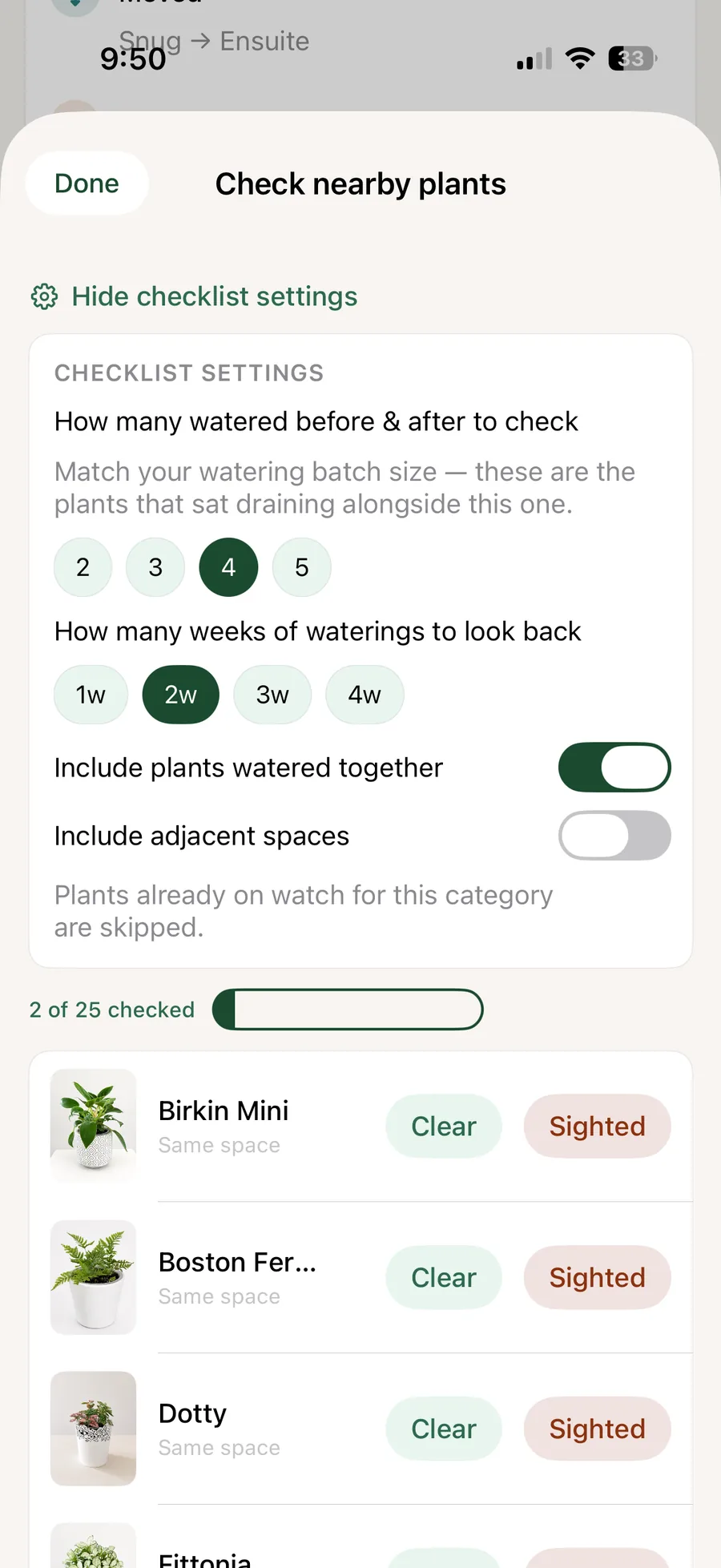
Pests, disease, recent stress or a new plant settling in. Liana keeps the watch item visible with its context, and points you to the plants nearby or watered alongside it.
- Watch items and quarantine status
- Pests and disease logged with photos and notes
- Nearby plants and plants watered together, ready to check
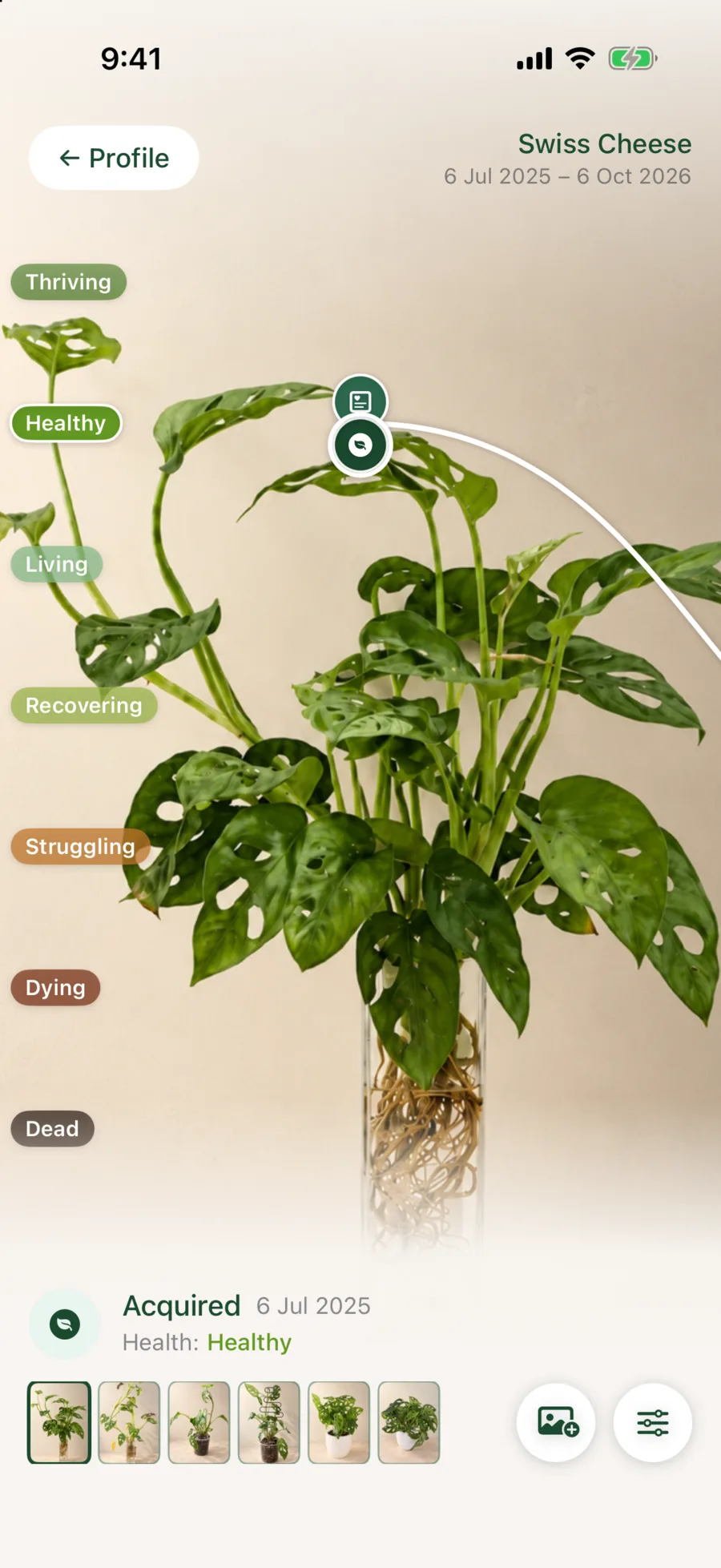
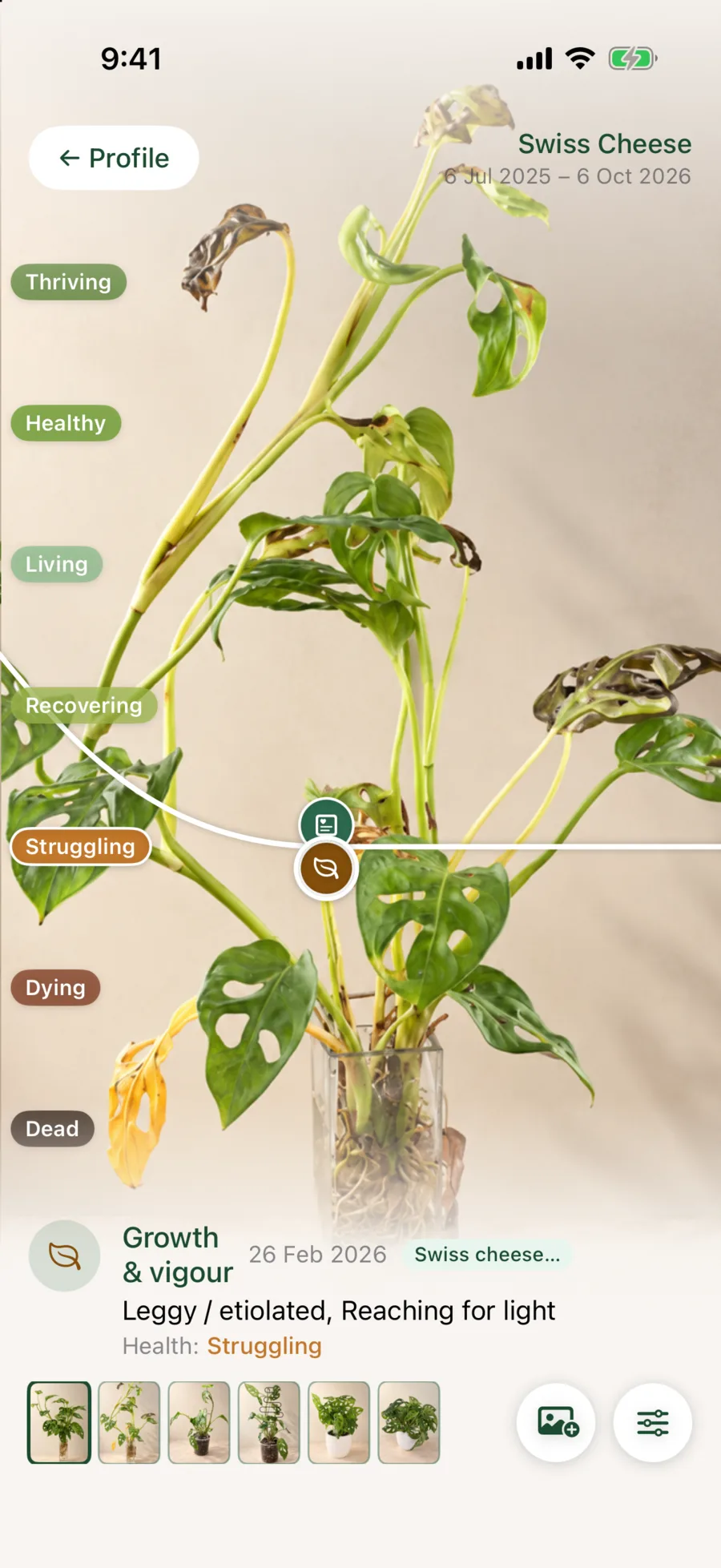
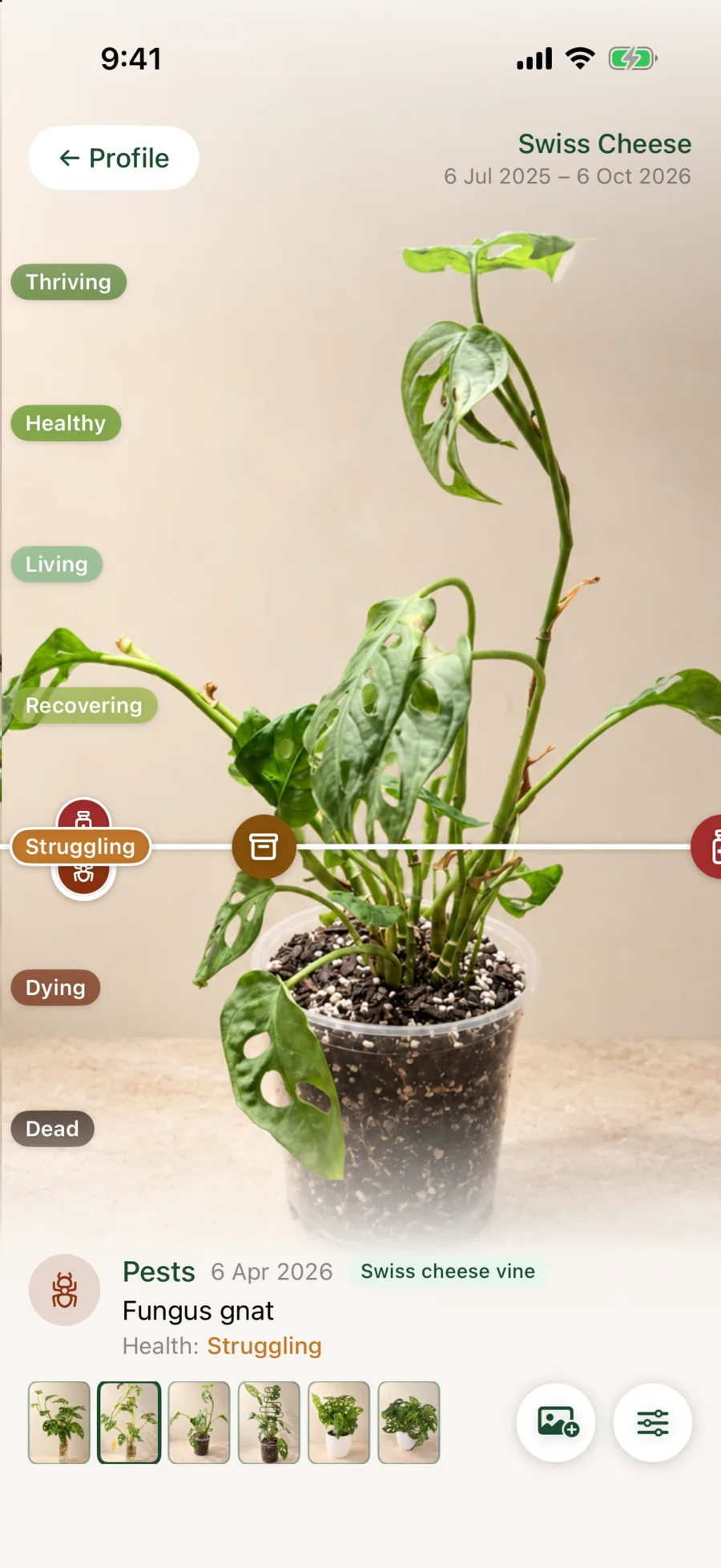
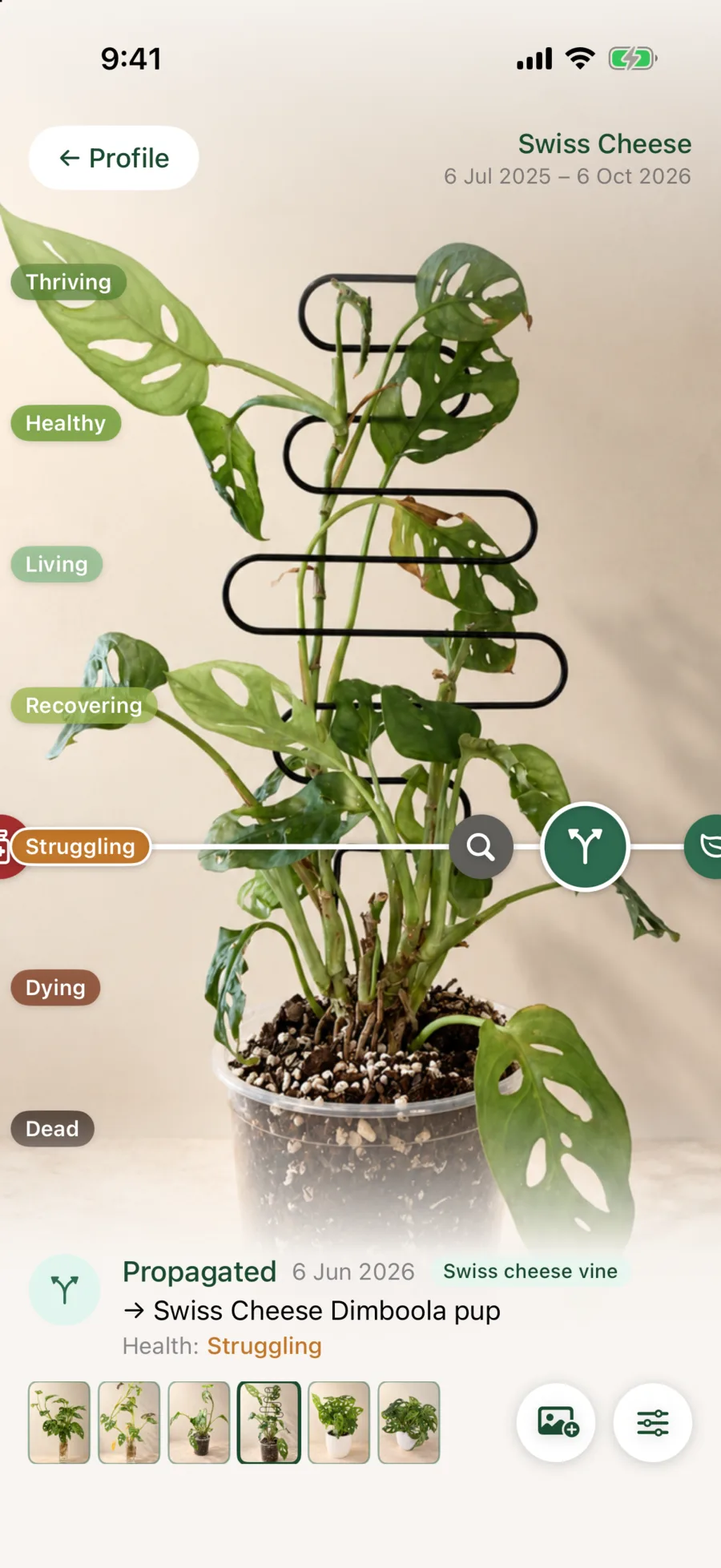
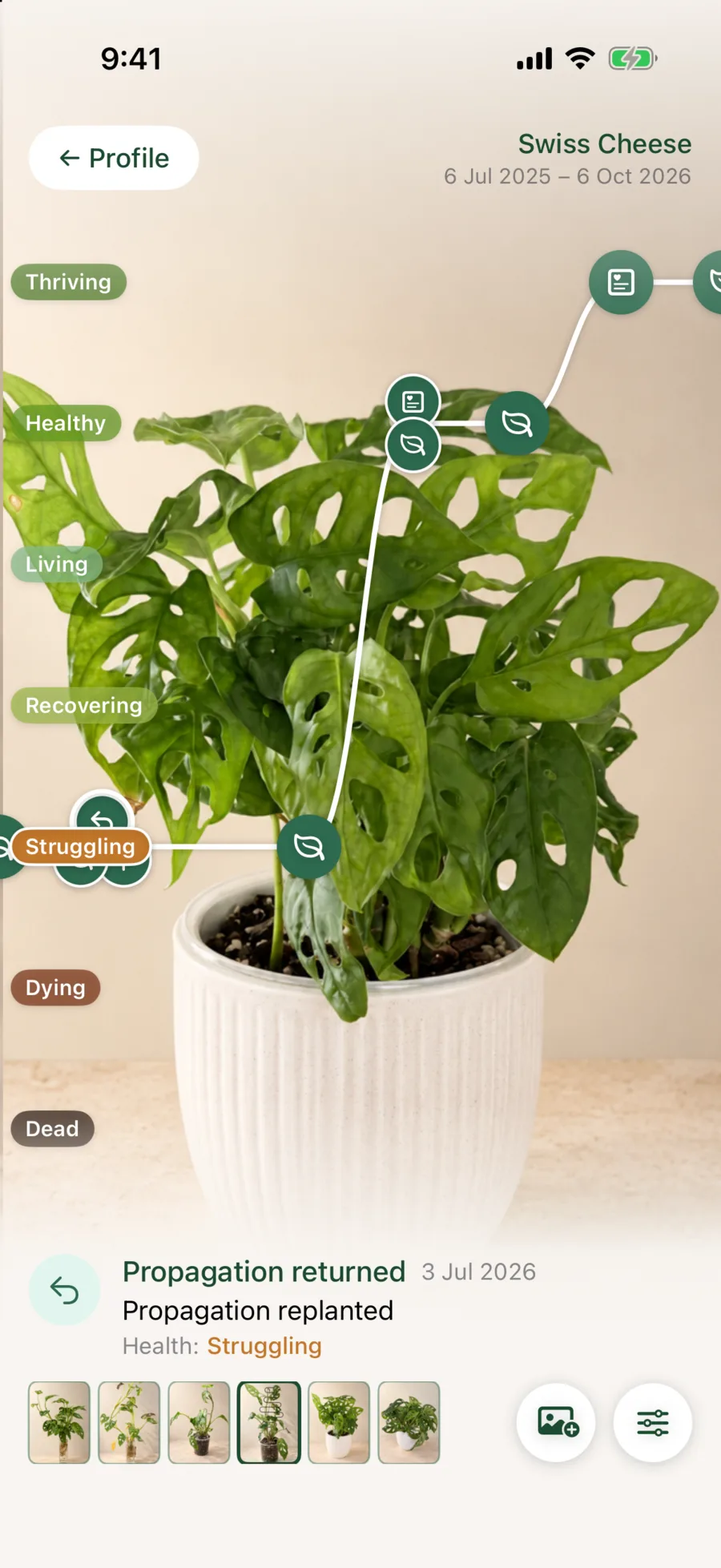
Plant Journeys
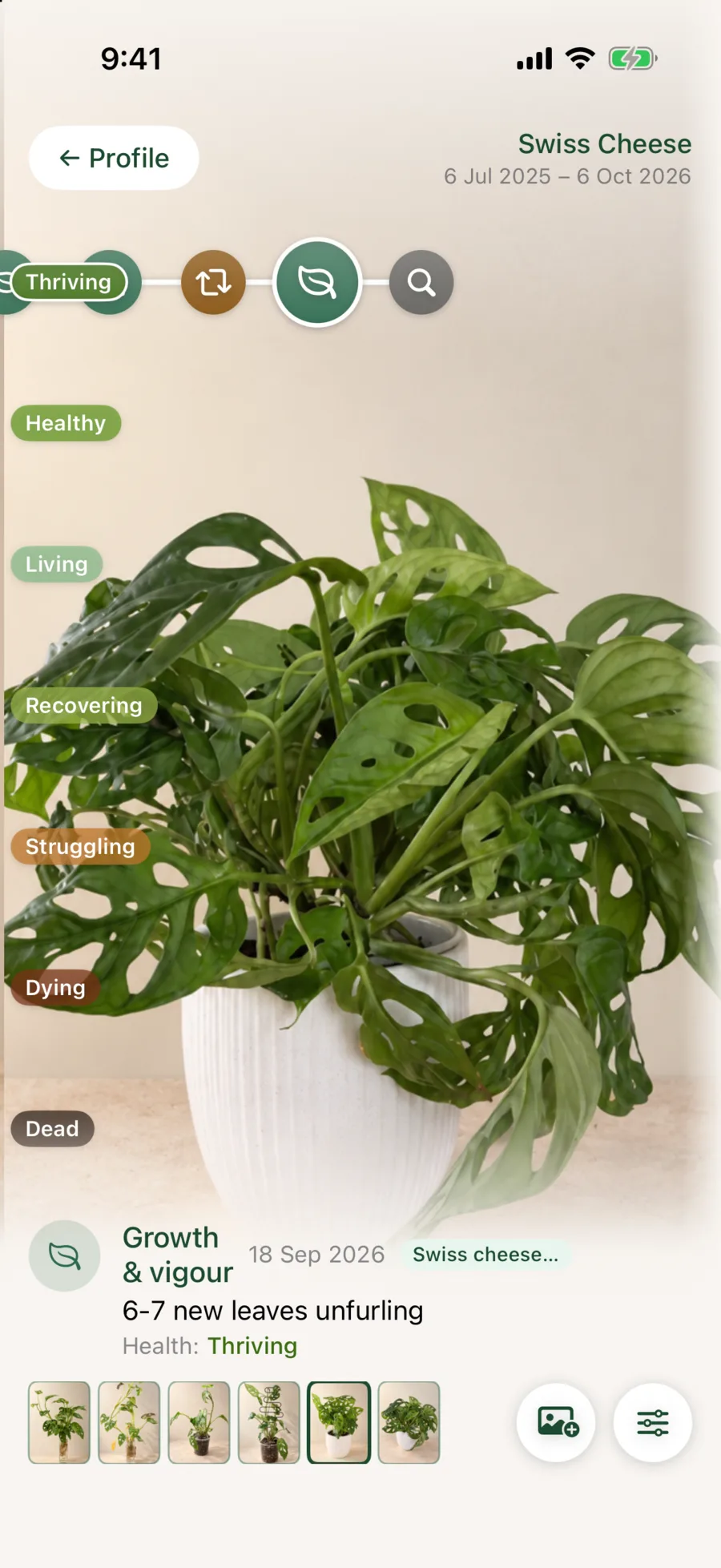
The whole story, one swipe at a time.
Photos, observations, care, propagation and health events become one visual record. You see what changed, what helped and when a plant took off.
- Acquired
- Noticed
- Pests found
- Propagated
- Reconnected
Plant briefs
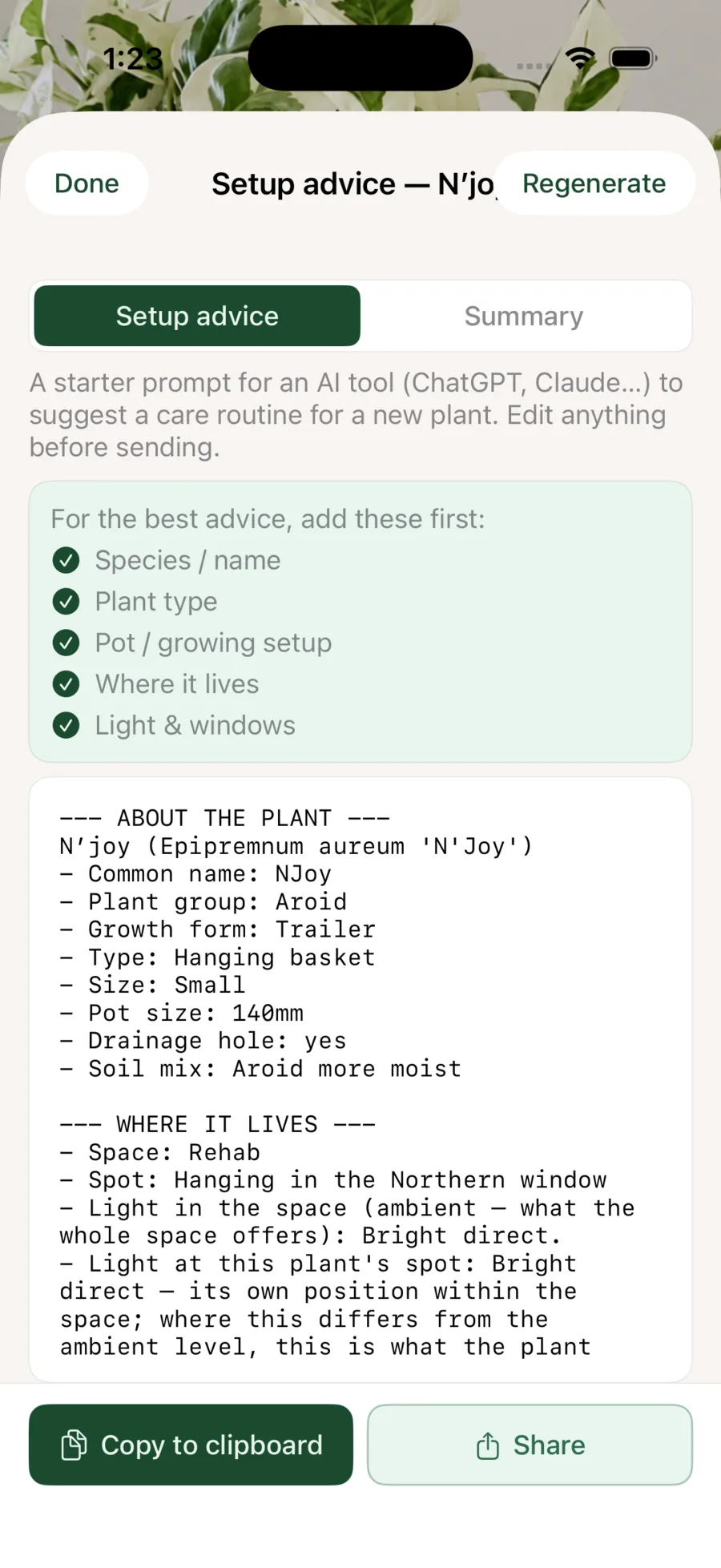
A second opinion, a tap away.
Any plant becomes a detailed plain-text brief, with its setup, care and history, ready for a friend, your favourite community or an AI. Heading away? A day-by-day sitter brief is ready to share or print.
- Setup advice or a full summary, with photos if you like
- Copy, share or print in a tap
- A day-by-day sitter brief for the dates you’re away
Everything else
The rest of what
Liana keeps track of.
The specialist details are there when you need them, right inside the app.
Collection & environments
- Plant Passports, botanical names and classifications
- A species catalogue with care facts, ready to extend
- Indoor, outdoor and covered spaces
- Individual space settings, and more than one home with Pro+
- Shared pots and individual plant identities
- Terrariums, kokedama, mounted plants, orchids and hydro setups
- Wishlist, archived and past plants kept outside plant counts
- A full-screen showcase of the plants you choose
- A Home dashboard with updates on what you may have missed
Care & observation
- A care walk by area and space, with difficulty, overdue and propagation filters
- Schedules with seasonal rules for your hemisphere
- Lists that log care, switch watering or simply group plants
- Watering methods, including irrigation and rain only
- Irrigation seasons for each space
- Moisture readings by weight and feel, or by meter, top, middle and bottom
- Custom care templates, fertilisers, additives and products
- Observations, photos, activity and reminders
- Watch items, quarantine and nearby-plant checks
- Pet-safety details and grow light records
Propagation & lineage
- Rooting stages, batches, methods and media
- Seed and spore sowings with their own stages
- Propagation lists, graduation and outcome tracking
- Splitting, merging and returning to the mother plant
- Simple sales tracking for plants and propagations
- Family trees across cuttings, pups and generations
- Individual Journeys for every plant, including every plant in a shared pot
Ownership & access
- CSV import and full collection export on every plan
- Detailed per-plant exports for community or expert advice
- iCloud sync and private collection backup
- Home sharing with complete or care-only access, with Pro+
- Plant-sitter notes, photos and care updates
- Recently Deleted keeps plants and spaces for 30 days
- iPhone and iPad support, in light or dark mode
Your data
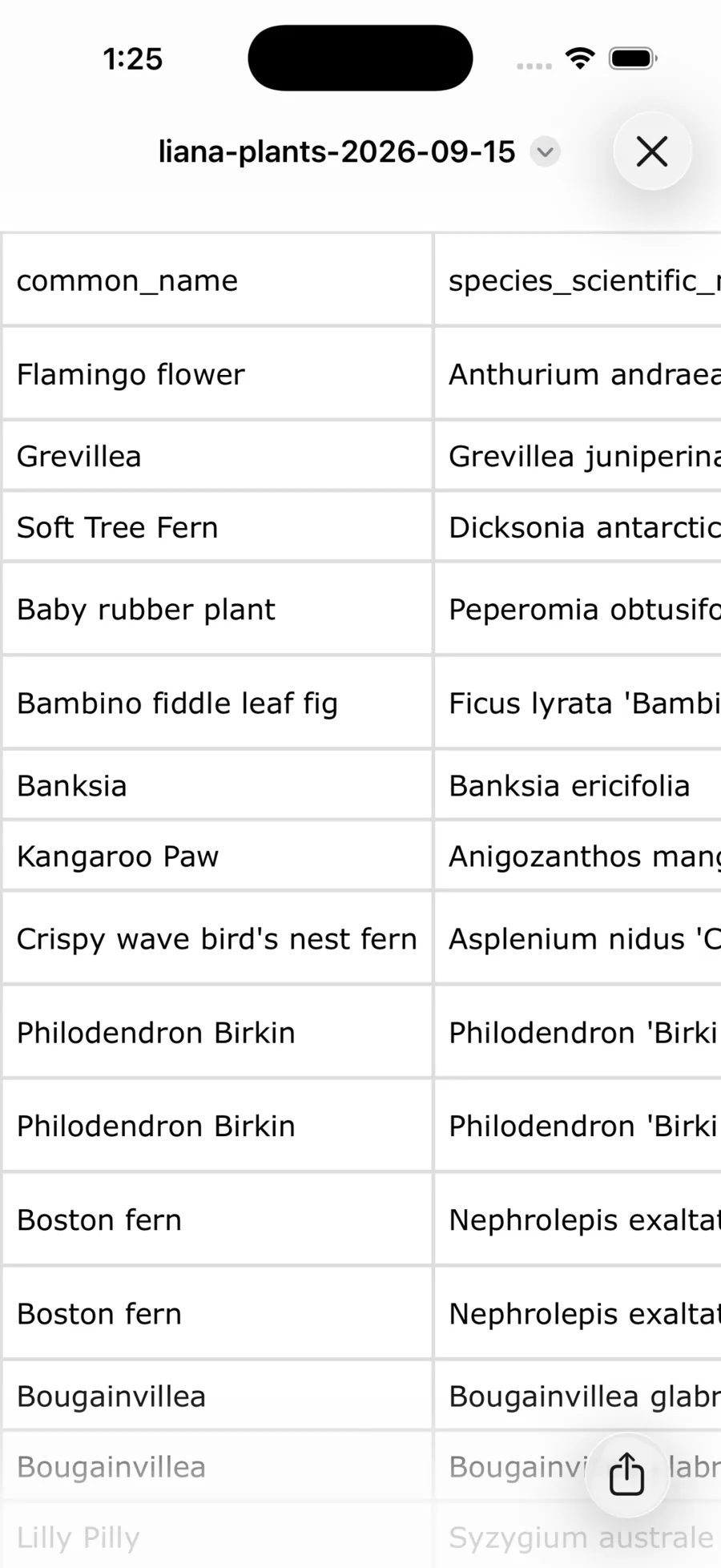
Bring your spreadsheet. Take everything with you.
Import your records by CSV, with templates and clear instructions. Export the whole collection whenever you like, on every plan. No account, no lock-in.

Liana is growing
Beautiful today.
Richer over time. Yours.
Join the waitlist to hear when Liana is ready for your collection.
Receive occasional Liana updates. Unsubscribe anytime. Privacy